Digital signage has evolved into a powerful tool for businesses and organizations seeking to engage, inform, and communicate with their audiences in interactive ways. From retail to healthcare, education, transportation, and beyond, digital signage is everywhere. Let’s explore the basics of signage components, types, benefits, and best practices for successful implementation. REACH Media Network’s hardware and software come together to deliver cohesive, visually-compelling solutions that improve communication objectives. Get started with a free trial of REACH Media Network’s trusted signage hardware and software today! Our free creative services and 24/7 support ensure someone is always available to help.
SEE DIGITAL SIGNAGE IN ACTION
Want to experience the power of digital signage firsthand? Request a free demo today and explore how REACH Media Network can enhance communication and engagement within your organization.
Digital Signage is Applicable Anywhere
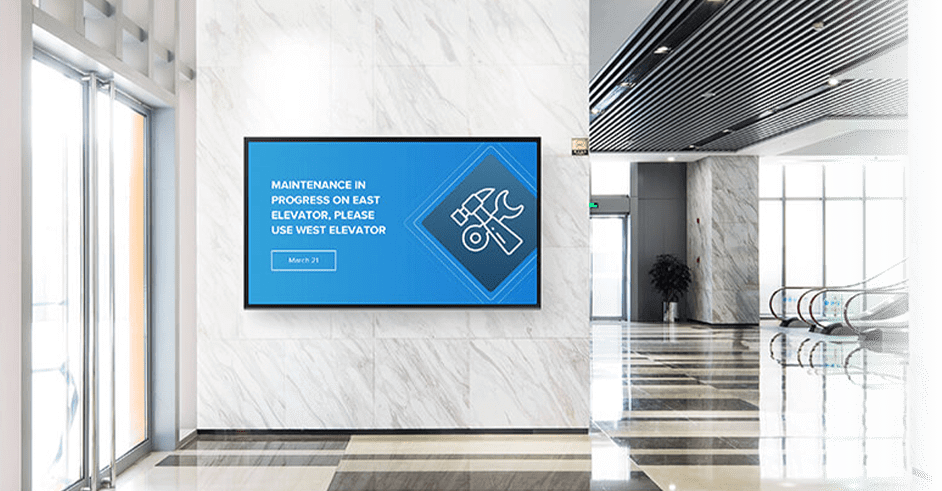
At its core, digital signage refers to using digital displays—such as LCD, LED, or projection screens—to display content such as images, video, text, and animations. It is often used in public spaces for advertising, informational purposes, or wayfinding. Unlike traditional static signs, digital signage offers the flexibility to update content remotely and in real-time, making it a versatile communication tool.
Digital signage can be seen in various environments, from digital billboards along highways to interactive kiosks inside shopping malls. The technology behind digital signage is continually advancing, enabling even more sophisticated forms of communication, such as touch screens, augmented reality (AR), and integration with social media.
DIGITAL SIGNAGE PROS & CONS
While the benefits of digital signage are substantial, there are also several challenges that organizations may face when implementing and maintaining digital signage systems. The initial investment in hardware (screens, media players, etc.), software, and network infrastructure can be substantial. However, this cost is often offset by the long-term benefits. Continuously creating fresh and engaging content can be time-consuming and requires a dedicated team or resources. Without proper planning and strategy, businesses may struggle to keep the content up-to-date or relevant to their audience.
Digital signage systems depend on technology, and like any tech infrastructure, they are susceptible to glitches, system failures, or compatibility issues. Ensuring proper maintenance, regular updates, and system monitoring can mitigate these risks. When not executed well, digital signage can overwhelm or annoy viewers with too much information or poorly designed content. It’s important to strike a balance between informative content and visual appeal to keep audiences engaged without overwhelming them.
COMPONENTS OF A DIGITAL SIGNAGE SYSTEM
A complete digital signage system consists of several key components. Each part is vital in ensuring the content is displayed effectively and managed efficiently. These components include:
- Display Screens: These are the physical screens that display the content. Displays can vary in size from small tablets to large outdoor digital billboards. They may be LED, LCD, OLED, or projection screens, depending on the location, purpose, and environmental conditions.
- Content Management System (CMS): The CMS is the software that creates, schedules, and manages content. It allows users to upload videos, images, and other digital media, and then organize and schedule when and where each piece of content will be shown. Many modern CMS platforms support cloud-based management, meaning users can update content remotely from any internet-enabled device.
- Media Players: These are the physical devices that receive and play content on the digital display. A digital media player can be a standalone hardware unit or a software-based solution running on a computer or tablet. It connects to the display via HDMI, DisplayPort, or other video outputs. In more advanced systems, media players can also pull content from the internet or a local network.
- Networking Infrastructure: Digital signage systems rely on a stable and secure network to transmit content to displays. Depending on the setup, this could involve wired Ethernet connections or wireless networks like Wi-Fi.
- Content Creation Tools: To create compelling and visually engaging content, users often utilize specialized software like Adobe Photoshop, Illustrator, or video editing tools. In some cases, digital signage platforms (like us) offer built-in content creation tools that simplify the process.
- Sensors and Interactivity: Some advanced digital signage systems include sensors, cameras, or touch screens that make the display interactive. For example: Motion sensors can detect when someone is near a screen and trigger a specific message or video. Touch screens enable users to interact directly with the content, such as in kiosks or wayfinding systems.
THE MOST POPULAR FORMS OF DIGITAL SIGNAGE
- Outdoor Digital Signage: Outdoor signage is designed for high visibility in public spaces like streets, highways, and transit stations. These displays are built to withstand harsh weather conditions and are often used for advertising, public announcements, and live event broadcasts. Outdoor digital billboards, for instance, are often large and provide advertisers with an opportunity to reach a broad audience.
- Interactive Digital Signage: This type of signage involves user interaction, typically through touch screens or motion sensors. Interactive displays can be used for wayfinding in large buildings or malls, digital directories, and interactive kiosks in museums or tourist attractions. These systems often allow users to access information or services directly from the screen.
- Wayfinding Digital Signage: Digital signage can be used to guide people to different locations within a facility. This type of signage typically provides real-time directions, maps, and instructions. Hospitals, universities, airports, and large corporate campuses are prime examples of places where wayfinding digital signage can significantly improve user experience.
- Retail Digital Signage: Retailers are increasingly using digital signage to enhance the shopping experience, promote products, and engage customers. This can include product displays, promotional videos, or interactive touchpoints that encourage customer interaction. Digital signage in retail stores can influence purchasing decisions by providing dynamic and visually appealing content.
Digital signage offers numerous benefits for organizations looking to communicate more effectively with their audiences. For instance, digital signage is far more engaging than static signage. Moving images, videos, and interactive elements capture attention more effectively, helping businesses hold the viewer’s focus longer. This increased engagement can be leveraged for everything from advertising to providing essential information.
These announcements and updates can be pushed out in real-time. One of the major advantages of digital signage is the ability to update content in real-time. If you need to change a message, update prices, or switch out advertisements, it can be done quickly and remotely. This flexibility ensures that content stays relevant and timely. This also allows businesses to distribute content across multiple locations simultaneously, reducing labor costs. Advanced systems can also provide analytics on viewer interaction, dwell time, and other metrics, which can be used to optimize content and improve marketing efforts. Moreover, digital signage can target specific audiences based on time of day, weather, location, or even the demographics of the viewers, offering personalized content.
DIGITAL SIGNAGE CONTENT BEST PRACTICES
- Know Your Audience: Understanding the target audience is key to creating relevant and impactful content. Consider factors like age, interests, and behavior when designing your messages.
- Keep Content Simple and Concise: People are more likely to engage with content that is clear, concise, and easy to understand. Avoid cluttered visuals and long-winded messages.
- Use High-Quality Content: Invest in high-quality images, videos, and graphics. The more polished your content looks, the more likely it is to capture attention and reflect positively on your brand.
- Regularly Update Content: Keep your content fresh and up to date. Schedule regular updates to ensure your messages are current and relevant.
- Monitor and Optimize: Use analytics tools to track performance and optimize your content strategy. Pay attention to engagement metrics, and adjust your approach as needed.
REQUEST A DEMO WITH REACH MEDIA NETWORK
Experience the difference digital signage can make to your communications. REACH out today and learn more about REACH Media Network’s solutions, explore custom integrations, and how we can help you connect with your audience in meaningful ways!