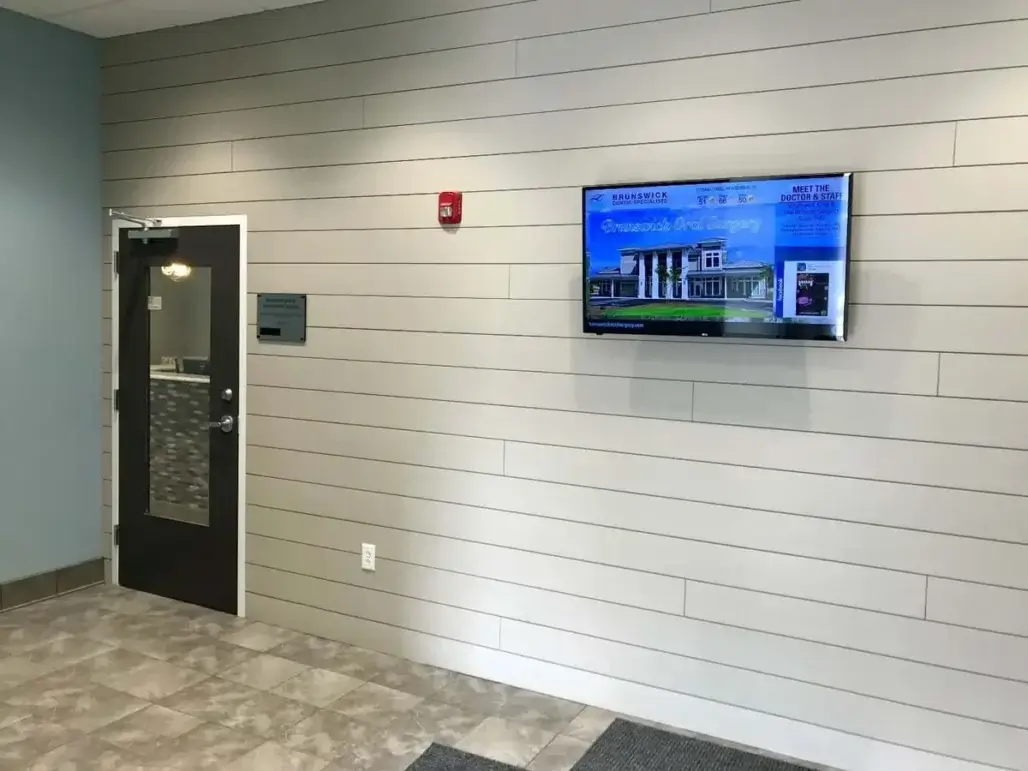
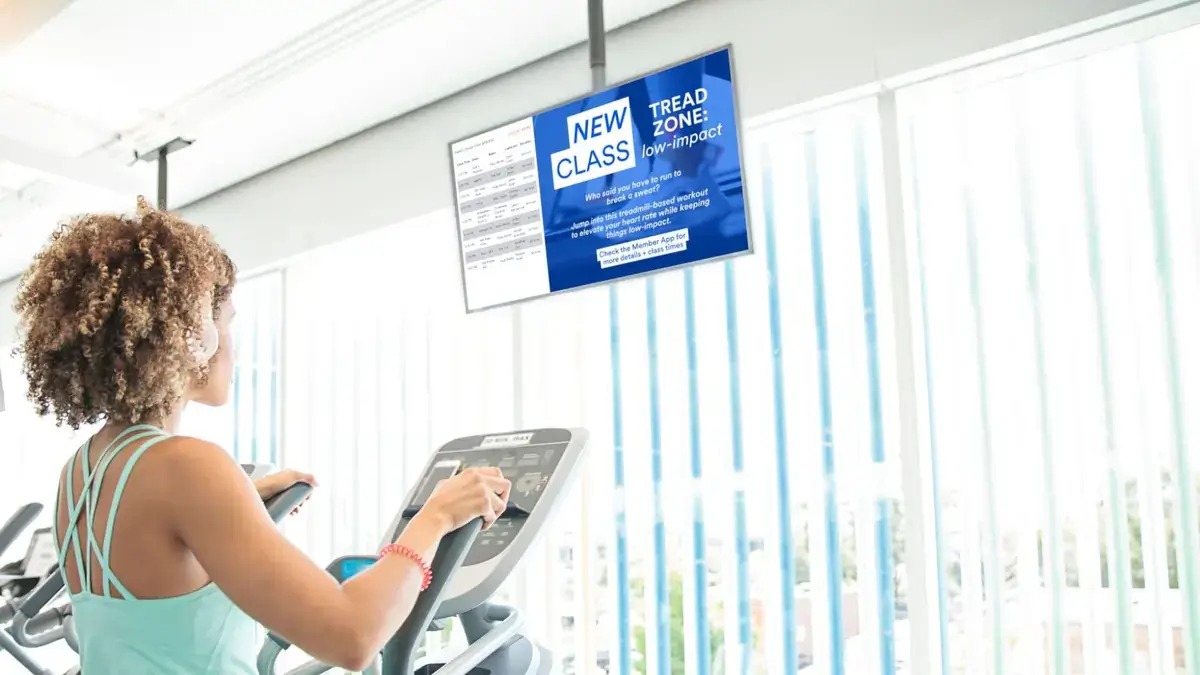
Digital signage has become an important communication channel for YMCAs and recreation centers, helping keep members, visitors, and staff informed throughout busy facilities.
But deciding how—and where—to use it often raises practical questions.
What should you put on your screens? Can different branches share some messages while keeping others local? How do you keep schedules current? And how do you know whether your digital signage is actually helping?
Below, we answer some of the most common questions YMCA leaders, branch managers, communications teams, and recreation center operators ask about digital signage.
1. What Is Digital Signage for a YMCA?
Digital signage for a YMCA is a network of screens used to communicate timely, relevant information to members, visitors, and staff throughout a facility or across multiple branches.
Instead of relying entirely on printed posters, bulletin boards, or information people have to find online, YMCAs can place important messages where people naturally see them. That might include screens at entrances, reception areas, fitness spaces, activity rooms, hallways, or other high-traffic locations.
The content can vary depending on where a screen is located and who needs to see it. A lobby screen might highlight upcoming programs and community events, for example, while a screen closer to activity rooms could help members find classes or understand what’s happening in a particular space.
The goal isn’t simply to replace posters with screens. It’s to make communication more visible, current, and useful throughout the member experience.
For organizations with multiple branches, digital signage can also provide a common communication channel while still giving individual locations room to share information that’s relevant to their own community.
Learn more about digital signage for YMCA member communication.
2. How Can Digital Signage Improve Communication With YMCA Members?
Digital signage can improve YMCA member communication by making important information easier to see, easier to update, and available in the places where members are already spending time.
Think about how much can change during an ordinary day at a busy YMCA: classes, programs, camps, community events, facility information, wellness initiatives, and operational announcements. Members shouldn’t have to search across several channels to find out what’s happening around them.
Screens can bring that information into the facility itself.
A member arriving for a workout might see today’s class highlights at the entrance. Someone waiting for a child to finish an activity could discover an upcoming community program. Visitors unfamiliar with the building can get help finding the right room or facility.
Digital signage also complements other communication channels rather than replacing them. Email, websites, apps, social media, and printed materials all have a role. Screens solve a different problem: reaching people while they’re physically present in the facility.
That’s particularly useful for information that changes frequently or matters in the moment.
3. What Content Should YMCA Digital Signage Display?
YMCA digital signage should display information that’s useful to members and visitors at that particular place and moment. Common examples include class schedules, upcoming programs, community events, facility announcements, wellness initiatives, wayfinding information, fundraising campaigns, and member or volunteer recognition.
The key is relevance.
Not every screen needs to display every message. Someone walking into a branch may need a quick view of what’s happening that day. A member near fitness areas may be more interested in upcoming classes. Screens elsewhere in the facility might be better suited to community programs, camps, volunteer opportunities, or seasonal announcements.
This is where digital signage can become less effective if it’s treated simply as a rotating bulletin board. Filling every available space with announcements gives people more information, but not necessarily better communication.
Instead, consider what someone needs to know based on where they are, what they’re likely doing, and how much attention they can reasonably give the screen.
A useful question to ask is: If someone sees this message for only a few seconds, will they understand what matters?
4. How Can Digital Signage Display Class Schedules?
Digital signage can display current class schedules on screens positioned where members are most likely to need the information, such as entrances, fitness areas, reception spaces, and near activity rooms.
The biggest benefit isn’t simply putting a schedule on a screen. It’s making schedule information visible at the point when it becomes useful.
Members entering a facility can quickly see what’s happening that day. Someone with time before their usual workout might discover another class. Visitors can confirm where an activity is taking place without having to find a printed timetable or ask staff.
Digital displays are particularly useful when schedules change. A printed sign can become outdated the moment a class time or location changes. Digital communication gives recreation centers a way to keep the information members see more current.
That matters because schedules are functional information. They don’t need elaborate design or lengthy explanations. Members generally want to know three things quickly: what’s happening, when it’s happening, and where to go.
Keeping those details clear and easy to scan can make the screen far more useful than trying to fit an entire week’s worth of information into one display.
5. Can YMCA Branches Keep Messaging Consistent Across Multiple Locations?
Yes. YMCA branches can use digital signage to maintain consistent organization-wide communication while still making room for messages that matter to individual branches and communities.
That balance is important.
A multi-branch YMCA may have campaigns, wellness initiatives, community messages, or organizational announcements that should be communicated consistently everywhere. At the same time, individual branches have their own classes, events, camps, facility updates, and local programs.
Effective multi-location communication supports both.
Rather than forcing every branch to show identical content—or allowing every location to operate completely independently—organizations can establish a shared communication approach while preserving local relevance.
Members get a more consistent experience across the organization, but they aren’t shown information that has little to do with the branch they’re actually visiting.
The same principle applies beyond digital signage. Consistency doesn’t mean every communication has to be identical. It means the organization has a recognizable voice and shared priorities while giving local teams enough flexibility to communicate what their communities need to know.
For a deeper look at that balance, read How to Keep Communication Consistent Across YMCA Branches.
6. How Can Recreation Centers Keep Information Current Throughout the Day?
Recreation centers can keep information current by using digital signage for the messages most likely to change throughout the day, including class schedules, room updates, operational notices, facility information, and seasonal programming.
This is one of the clearest advantages digital communication has over static notices.
A busy recreation center rarely operates on a perfectly fixed schedule. A class may move to another activity room. A facility may temporarily close. An event may start soon. Seasonal programs may need more visibility at particular times of day.
When information changes, an outdated sign isn’t just unhelpful—it can create confusion.
The goal should be to identify which messages benefit most from being current and visible, rather than trying to make every communication dynamic.
It also helps to think about timing from the member’s perspective. Information about a morning class is far more useful before that class begins than later in the afternoon. A notice about an upcoming camp might deserve more visibility as registration approaches.
Digital signage makes communication more adaptable to what’s happening in the facility now.
7. How Can Digital Signage Help Visitors Navigate Recreation Facilities?
Digital signage can improve wayfinding by giving visitors clear directions and location-specific information as they move through a recreation facility.
That can make a meaningful difference in buildings with multiple gyms, studios, pools, meeting spaces, childcare areas, locker rooms, or activity rooms.
Regular members may know the building instinctively. A new member, parent arriving for a child’s program, camp participant, or first-time visitor doesn’t.
Good wayfinding reduces that uncertainty.
Digital displays can reinforce directional signage, identify destinations, highlight where particular activities are happening, and provide information near decision points throughout the facility. The goal isn’t to cover every wall with directions. It’s to provide useful guidance at the moments when someone needs to decide where to go next.
Room-level signage can take that experience one step further by helping visitors understand not only where a room is, but what’s happening there.
Clear navigation also has a communication benefit: when visitors can answer simple location questions themselves, staff can spend less time repeatedly providing directions.
For more on this use case, read How Room Signage Improves Navigation and Communication in Recreation Centers.
8. Can Digital Signage Display Room Schedules and Activity Spaces?
Yes. Digital signage can display schedules and activity information near rooms and shared spaces, helping members and visitors understand what’s happening, where it’s happening, and when.
This is particularly useful in recreation facilities where the same space serves different purposes throughout the day.
An activity room might host a fitness class in the morning, a youth program in the afternoon, and a community event in the evening. Without clear, current information, visitors may know they’ve found the right room but still be unsure whether they’ve arrived at the right time or for the right activity.
Room signage can provide that extra layer of context.
It can also complement broader facility wayfinding. Larger displays might help visitors find the general area they need, while signs closer to individual spaces can confirm the room and current or upcoming activity.
The most useful room communication is usually the simplest. Members shouldn’t have to study a crowded screen to understand where their class is.
Prioritize the information that helps someone make an immediate decision: room, activity, time, and any essential update.
9. How Can Recreation Centers Promote Programs and Community Events?
Digital signage can help recreation centers promote programs and community events by putting those opportunities in front of members while they’re already engaged with the facility.
That’s a useful moment for discovery.
Members may arrive with one purpose—attending a class, using the pool, dropping a child at camp—and know relatively little about everything else happening within the organization.
Screens can introduce those other opportunities naturally.
A display might highlight an upcoming youth program, wellness initiative, community event, seasonal activity, or volunteer opportunity. The goal shouldn’t be to squeeze every available program onto the screen. Instead, focus on a clear message that someone can understand quickly and act on if they’re interested.
Placement matters, too. Different parts of a facility naturally attract different audiences, so the most relevant program to highlight near a family area may not be the same one you’d feature near a fitness space.
Good program promotion is ultimately good communication: the right opportunity, shown to the right audience, at a useful time.
For more practical guidance, read How Digital Signage Helps Recreation Centers Promote Programs and Community Events.
10. Can Digital Signage Support Fundraising and Community Campaigns?
Yes. Digital signage can support YMCA fundraising and community campaigns by making those initiatives more visible to members and visitors throughout the facility.
YMCAs are community organizations, and their communication often extends well beyond classes and facility information. Fundraising efforts, volunteer programs, community initiatives, recognition, and local causes can all be part of the story a branch wants to share.
Screens provide another place to tell that story.
For example, a YMCA might use digital signage to make members aware of a current fundraising campaign, explain what an initiative supports, recognize volunteers or donors where appropriate, or highlight ways the organization is contributing to its community.
As with any digital signage content, clarity matters more than volume. A screen filled with competing calls to action is unlikely to communicate any one of them particularly well.
Instead, focus on helping people quickly understand the purpose of the campaign and why it matters to the community.
Digital signage doesn’t replace the broader fundraising or community engagement strategy. It helps ensure those initiatives remain visible in the physical spaces where members interact with the YMCA.
11. Can Non-Technical YMCA Staff Update Digital Signage?
Yes. Modern cloud-based digital signage systems are generally designed so everyday users can manage and update content without needing specialist technical skills for routine communication.
That’s important in a YMCA environment, where the people responsible for member communication may be branch managers, communications teams, membership staff, or other employees rather than IT specialists.
The practical question isn’t whether someone understands the technology behind the screens. It’s whether they can keep the information members see accurate and useful.
A good digital signage approach should make routine tasks—such as changing an announcement, updating a program message, or replacing outdated content—manageable for the people responsible for that communication.
Training and onboarding can help teams become comfortable with the system, particularly when digital signage is being introduced across several branches. But the day-to-day experience shouldn’t depend on technical expertise.
Ease of management matters because communication loses value when updates are difficult enough that they don’t happen. If staff can keep information current without unnecessary friction, screens are more likely to remain a useful part of the member experience rather than becoming another channel that’s eventually neglected.
12. How Can Recreation Centers Reduce Printed Notices and Bulletin Boards?
Recreation centers can reduce their reliance on printed notices by moving frequently changing information to digital signage, where messages can be updated without printing and replacing physical materials.
The best place to start isn’t necessarily with every poster in the building.
Look first at information that becomes outdated quickly: schedules, program announcements, event reminders, operational updates, seasonal activities, and other time-sensitive messages. These are often the communications that create the most work when they’re printed.
There’s also a member-experience issue.
Bulletin boards tend to accumulate information. New notices are added, older ones remain in place, and eventually members have to work out which messages are still relevant. Moving appropriate content to digital displays creates an opportunity to be more intentional about what people see.
That doesn’t mean print has no place in a YMCA. Some information may still work better in a physical format. The goal is to use each channel where it makes sense.
For information that changes regularly, digital signage makes it easier to replace yesterday’s message with today’s instead of allowing outdated communications to remain visible.
13. Can Different YMCA Branches Display Their Own Local Information?
Yes. Individual YMCA branches can display locally relevant information while still participating in broader organization-wide communication.
In fact, that’s often what makes a multi-branch communication strategy useful.
A central team may need to communicate shared campaigns, organizational priorities, wellness initiatives, or community messages across every location. But individual branches also need to tell members about their own classes, camps, programs, events, facility notices, and local activities.
Those needs don’t have to compete.
A well-planned digital signage strategy recognizes that some communication belongs everywhere and some only makes sense in a particular location.
The distinction is important because relevance affects whether people pay attention. A member visiting one branch doesn’t need a screen dominated by information about activities happening somewhere else.
At the same time, completely independent communication can make an organization feel fragmented.
The goal is a middle ground: enough consistency that members recognize the YMCA’s broader priorities, with enough local flexibility that each branch can serve its own community.
For more detail on creating that balance, read How to Keep Communication Consistent Across YMCA Branches.
14. What Information Should Visitors See When Entering a YMCA?
When someone enters a YMCA, digital signage should prioritize information that helps them quickly understand what’s happening, where they need to go, and what opportunities are available.
That might include today’s class highlights, upcoming programs, facility announcements, wayfinding information, community events, camps, wellness initiatives, or important operational updates.
But an entrance screen shouldn’t try to say everything at once.
The first few moments inside a facility are valuable because almost everyone passes through the space. That makes the entrance an attractive place for communication—and an easy place to overload with too many messages.
Think about what matters most to someone arriving right now.
Is there an operational update they need to know? A major activity happening today? A program that’s particularly relevant this week? Does a first-time visitor need help understanding where to go?
The answers can change throughout the year and even throughout the day.
Entrance signage works best as part welcome, part orientation, and part window into the wider YMCA community. It should help people feel informed without requiring them to stop and read a wall of information before they can continue into the facility.
See more ideas for improving YMCA member and visitor communication.
15. How Can YMCAs Measure Whether Digital Signage Is Successful?
YMCAs can measure digital signage success by looking at whether communication is becoming more visible, current, and useful—not simply by counting the number of screens or messages published.
Start with the communication problem the signage was intended to solve.
If screens were introduced to make class information easier to find, are members still frequently asking staff where or when classes take place? If the goal was better program awareness, are staff hearing that members know what’s coming up? If screens support navigation, are visitors finding activity rooms more easily?
Useful indicators can include member awareness, fewer missed classes caused by communication confusion, participation in promoted programs, staff feedback, how consistently information stays current, and feedback about the visitor experience.
Some of these measures are quantitative. Others are observational. Both can be valuable.
Staff working in branches often have particularly useful insight because they see the same communication questions and points of confusion every day.
The important thing is to connect measurement to an outcome. A screen being switched on isn’t success. A message being published isn’t success either.
Successful digital signage helps people know something, find something, or do something more easily than they could before.