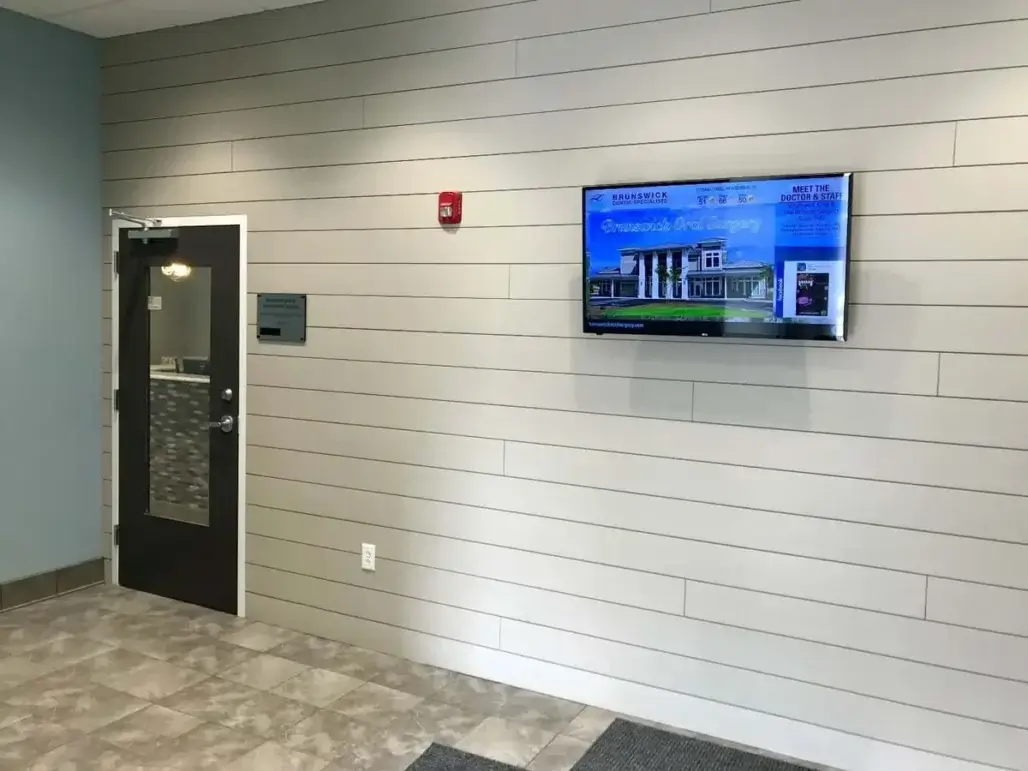
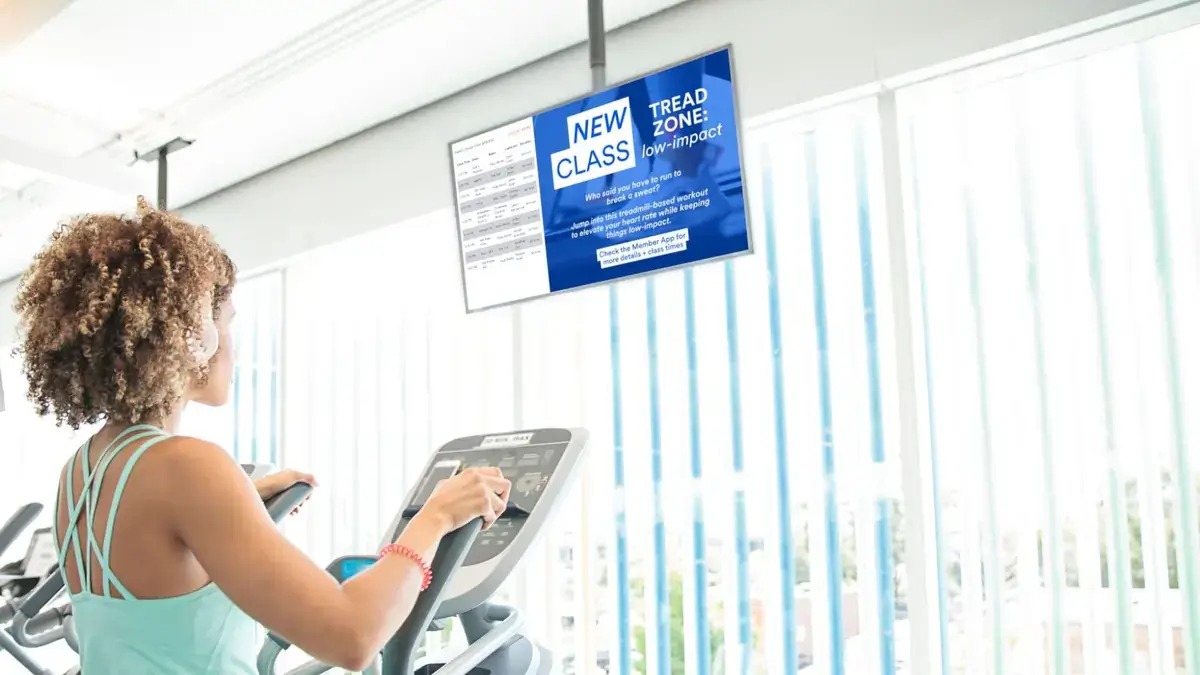
Gym digital signage is a managed way to use screens throughout a fitness facility for schedules, announcements, promotions, motivation, member communication, and location-specific information. The value comes from matching useful content to the right screen and keeping it current without relying on printed posters or manually changing every display.
This guide answers the practical questions gyms, fitness centers, and health clubs commonly ask before evaluating a solution. If you are already comparing options, start with REACH’s digital signage for gyms page for the broader solution.
This guide covers: use cases; screen placement; content and freshness; management and setup; support; cost and value considerations.
Basics and Definitions
What is gym digital signage?
Gym digital signage is a network of screens managed with signage software to display timely information inside a gym, fitness center, or health club. Typical content includes class schedules, operating updates, promotions, trainer information, challenges, community messages, and facility reminders. Unlike a TV that simply plays a channel or static slide deck, managed signage is part of an ongoing communication workflow.
How is gym digital signage different from a regular TV or static display?
The main difference is management. A regular TV or static display can show content, but managed digital signage gives a team a repeatable way to schedule, rotate, publish, and update content across screens. That makes it better suited to facilities where schedules, promotions, events, and member messages change throughout the week.
| Regular TV / Static Display | Managed Digital Signage |
|---|---|
| Content often changed manually | Content can be scheduled and managed through signage software |
| Same content may remain for long periods | Content can rotate based on time, audience, or location |
| Limited centralized control | Multiple screens can be managed from a central system |
| Primarily a display device | Part of an ongoing communication workflow |
What types of gyms and fitness centers use digital signage?
Digital signage can fit single-location gyms, multi-location fitness clubs, boutique studios, recreation and training facilities, and other member-based fitness environments. The strongest use case is not a particular facility size; it is a recurring need to keep physical-space communication visible, current, and manageable.
What makes digital signage useful in physical fitness spaces?
Fitness facilities contain many short communication moments: members arrive, wait for classes, move between workout areas, visit common spaces, and prepare to leave. Screens can support those moments with concise, location-relevant information. A lobby screen may orient a member, while a studio screen can prioritize the next class or a session change.
How does digital signage fit alongside staff, mobile apps, social media, and printed materials?
Digital signage complements those channels rather than replacing them. Staff remain essential for personal interaction, apps and social media reach people on their own devices, and print can still work for long-lived information. Screens are especially useful when a message needs to be visible inside the facility at the moment a member can act on it.
For a practical implementation view, see the how-to guide for gym digital signage.
Gym Digital Signage Use Cases
How do gyms use digital signage?
Gyms use digital signage to keep members informed, promote programs, reinforce community, support workout motivation, guide visitors, and keep time-sensitive messages visible. The best use cases start with a communication need rather than a feature: what does a member need to know here, and when do they need to know it?
Can gym screens show class schedules and updates?
Yes. Class schedules, room changes, instructor updates, holiday hours, and temporary facility notices are natural digital signage content because they change over time. Scheduling and playlists can help teams prepare predictable messages in advance and remove expired information instead of leaving old notices on a screen.
How can gyms promote personal training, memberships, and programs?
Gym screens can make services and programs visible at relevant points in the member journey. A front-desk screen might introduce personal training or a seasonal program, while a common-area screen can highlight an upcoming workshop or event. Keep the message concise and give the viewer a clear next step, such as asking staff or scanning an approved QR code.
How can gyms use digital signage for events, challenges, and announcements?
Use screens to make dates, deadlines, participation details, and facility announcements easy to notice. Event and challenge messages work best when they are scheduled to appear while they are relevant and removed when they expire. Dallas Stars is a useful adjacent proof point for scheduling, event promotion, and facility communication without treating a sports venue as the model for every gym.
How can digital signage support workout motivation and community content?
Digital signage can reinforce the environment with short trainer tips, challenge reminders, member recognition, class countdowns, and concise motivational messages. Timing and location matter more than filling every screen with quotes. For deeper guidance, see digital signage for workout motivation.
Can gyms use QR codes for signups or additional information?
Yes, QR codes can give members a simple bridge from a screen to approved registration pages, class information, event details, or other resources. They are most useful when the on-screen message explains what the scan will do. Snoopy’s Home Ice provides an adjacent example of using QR codes alongside lobby information and visual communication.
When is wayfinding or room guidance useful?
Wayfinding is useful when visitors or members need help finding studios, rooms, services, or event areas. Keep this guidance focused on immediate navigation rather than turning every screen into a directory. In smaller facilities, simple room or studio guidance may be enough; larger or more complex sites may need dedicated directory content.
| Use Case | Example Content | Best Supporting Resource |
|---|---|---|
| Schedules and updates | Classes, room changes, operating hours | Practical gym digital signage guide |
| Programs and promotions | Training, memberships, events | Gym/Fitness industry page |
| Workout motivation | Tips, challenges, recognition | Workout Motivation article |
| Content workflows | Scheduling, playlists, rotations | Apps and Workflows article |
| Wayfinding | Studio and room guidance | Directory/wayfinding content when relevant |
Screen Placement Questions
Where should gyms place digital signage screens?
Place screens where members naturally need information or have enough dwell time to absorb it: lobbies, front desks, fitness floors, class studios, common areas, and café or retail zones where applicable. The right placement depends on the member moment and the message, not simply on where a wall has space.
What should go on lobby and front-desk screens?
Lobby and front-desk screens should help members orient themselves. Prioritize schedules, current announcements, upcoming events, program prompts, QR codes, and concise facility information. Snoopy’s Home Ice is a useful adjacent example of turning a front-of-house display into an information hub rather than treating it as a passive TV.
What should go on fitness-floor screens?
Fitness-floor content should be quick to absorb while members are active. Short trainer tips, challenge reminders, safety messages, brief motivational content, and relevant program information fit better than dense text. The screen should support the workout environment rather than compete with it.
What should go on class-studio screens?
Class-studio screens should emphasize what is happening in or near that studio: class times, instructor updates, session changes, countdowns, and relevant program reminders. Because the audience and context are specific, these screens often benefit from different content than the lobby or general fitness floor.
What content belongs in locker rooms and common areas?
Common areas can support community updates, policies, member recognition, events, and next-visit reminders because members may have more time to read. Keep sensitive or overly personal information off shared displays and make sure any reminder is appropriate for the physical setting.
When does wayfinding matter?
Wayfinding matters when members regularly ask where to go or when classes, events, or services span multiple rooms or areas. Use simple directional content when that solves the problem; reserve deeper directory experiences for facilities that genuinely need them.
| Screen Location | Best Content | Why It Fits |
|---|---|---|
| Lobby/front desk | Schedules, announcements, events, QR codes | Members are orienting themselves and looking for information |
| Fitness floor | Motivation, trainer tips, safety reminders | Content should be quick to absorb while members are active |
| Class studios | Schedules, instructor updates, session changes | Members need timely, location-specific information |
| Common areas | Policies, community updates, events | Members often have more dwell time |
| Cafe/retail | Menus, offers, products | Content aligns with the immediate activity |
The practical rule is to follow the member journey: match each screen to the question a member is most likely to have in that location. See the practical gym digital signage guide for more implementation examples.
Content Creation and Freshness
What should gyms show on digital signage screens?
A useful gym content mix includes schedules, announcements, program promotions, trainer content, challenges, member or staff recognition, events, facility reminders, and concise motivational messages. Not every screen needs every category. Choose content based on the audience, location, and action you want the viewer to understand.
How often should gym signage content change?
Gym signage should change as often as the underlying information changes. Class schedules, event reminders, seasonal promotions, and temporary announcements may require frequent updates, while evergreen facility information can remain longer if it is still accurate and useful. There is no single update frequency that fits every screen or content type.
How can gyms avoid stale content?
Use a repeatable freshness workflow instead of relying on ad hoc updates. Plan recurring content categories, schedule predictable messages, and review screens for expired or repetitive content. This reduces the chance that a past event or old promotion remains visible simply because nobody remembered to remove it.
Can REACH help with branded layouts or content setup?
Yes. REACH provides professional network setup and branded initial screen layouts during onboarding, along with training and unlimited customer support. Customers can still manage their own day-to-day content; ongoing design assistance depends on the applicable service or package, so it should not be assumed to be universal.
What content works best for people moving through a facility?
People in motion need content they can understand quickly. Use short headlines, recognizable visuals, clear timing, and one obvious takeaway. Save longer explanations for places with more dwell time or for a linked resource that members can open on their phones.
| Content Category | Typical Use |
|---|---|
| Schedules and updates | Classes, hours, room changes, temporary notices |
| Programs and promotions | Training, workshops, memberships, events |
| Motivation and community | Challenges, recognition, trainer tips |
| Facility information | Policies, safety reminders, directions |
| Next steps | QR codes or concise prompts to approved resources |
A simple workflow for keeping content current
- Plan recurring categories.
- Create concise content for the relevant screen and audience.
- Schedule predictable messages in advance.
- Publish to the appropriate screens.
- Refresh or remove content before it becomes stale.
For deeper planning guidance, use digital signage content ideas for gyms.
Management, Setup, and Support
Can gym staff update screens remotely?
Yes. A cloud-based signage CMS can let authorized staff publish updates without visiting each screen with a USB drive or manually replacing posters. REACH supports remote publishing at a high level, which is useful when content changes frequently or screens are spread across different parts of a facility.
Can different screens or locations show different content?
Yes. Different screens can be managed for different communication needs, so a lobby does not have to show the same message as a studio or fitness floor. For multi-location organizations, central management can also support consistency while content remains appropriate to individual screens or locations.
How does scheduling work at a high level?
Scheduling lets a team decide when time-sensitive content should appear and when it should stop. A class promotion can run before the session, an event reminder can appear during the registration window, and a seasonal message can be removed after the campaign ends. Playlists can rotate multiple pieces of content rather than leaving one message on screen indefinitely.
How hard is digital signage setup?
Setup is easier when the team defines goals, screen locations, audiences, and ownership before launch. REACH’s approved implementation story includes professional network setup, branded initial layouts, user training, and ongoing support. Exact hardware or advanced configuration details should be handled during solution planning rather than assumed from a general article.
What support does REACH provide?
REACH customers receive ongoing training and unlimited support. That support complements self-service content management: teams can manage their own screens while still having help available for questions, troubleshooting, and ongoing operation.
What should a gym prepare before launch?
A gym should prepare its screen goals, locations, priority audiences, content owners, recurring content categories, and the types of time-sensitive messages it expects to publish. Clarifying those items early makes it easier to decide what each screen should show and who will keep it current.
What does a high-level launch workflow look like?
- Define screen goals and locations.
- Set up the network and initial layouts.
- Train the people who will manage content.
- Publish and schedule content.
- Use support when questions or changes arise.
Cost and Value Questions
What affects the cost of gym digital signage?
Cost depends on the scope of the signage program rather than one universal figure. Important factors include the number of screens or locations, hardware needs, software or service scope, setup and implementation requirements, and any support or design-service scope that applies to the chosen package.
| Cost Factor | What to Consider |
|---|---|
| Screens and locations | How many displays need to be managed and where they are located |
| Hardware | Existing displays/players versus new deployment needs |
| Software/service scope | The management and service level required |
| Setup and implementation | Network, launch, layouts, and training needs |
| Support/design scope | What is included versus package-dependent |
How should gyms think about the value of digital signage?
Think about total communication effort, not only subscription price. The relevant questions are whether information stays current, whether staff can manage updates without excessive manual work, whether multiple screens can be coordinated, and whether onboarding and support reduce the burden of keeping the system useful over time.
What manual-work costs should gyms consider?
Consider the staff time spent printing and replacing posters, updating slide decks, visiting individual screens, repeating the same announcements, and correcting expired information. These are operational costs even when they do not appear as a software line item. Customer evidence in the REACH knowledge base supports manual-update replacement as a meaningful evaluation theme, but it does not justify universal ROI claims.
When should a buyer consult pricing information or request a demo?
Move to pricing or a demo when you understand your screen count, locations, content needs, ownership model, and the level of setup or support you want. If you are still defining use cases, continue with the Gym/Fitness industry page and supporting guides first.
Customer Examples
Customer examples are most useful when they validate a specific recommendation rather than acting as product documentation. The examples below show different physical-screen communication scenarios relevant to fitness and adjacent facilities.
| Customer | Best Used For |
|---|---|
| ClubWorx | Fitness-club engagement; moving beyond posters/flyers; wait-time communication |
| Dallas Stars | Scheduling, events, and sports/rink facility communication |
| Snoopy’s Home Ice | Lobby information hub; QR and visual communication |
| Valley of the Sun JCC | Different content by facility area, where validated |
ClubWorx is the primary fitness-club proof point because its scenario is closest to the day-to-day communication problems gym operators face: making member-facing information useful during wait times and moving beyond cluttered static materials. Dallas Stars is better used for scheduling and event communication, while Snoopy’s Home Ice demonstrates the information-hub role a front-of-house screen can play.
Related Resources and Next Steps
Choose the next resource based on the question you still need to answer. The Gym/Fitness page is the best next step for solution evaluation; the supporting articles go deeper on implementation, motivation, content, and workflows.
- Digital Signage for Gyms, Fitness Clubs, and Workout Facilities
- Fitness Club Digital Signage
- How to Use Digital Signage in a Gym or Fitness Center
- Digital Signage for Workout Motivation
- Digital Signage Content Ideas for Gyms
Ready to evaluate a solution? Explore REACH Digital Signage for Gyms.
Additional Gym Digital Signage FAQs
Can gym digital signage replace posters and bulletin boards?
Digital signage can replace many frequently updated posters and bulletin-board notices, especially schedules, promotions, events, and temporary announcements. It does not have to eliminate print entirely. The strongest case is content that changes often or needs to appear in multiple places, where centralized publishing can reduce repeated physical updates and make expired information easier to remove.
Can different screens show different messages?
Yes. Different screens can show content that matches their location and audience, such as schedules in a studio, quick trainer tips on a fitness floor, and event information in a lobby. This is one of the practical differences between managed signage and simply putting the same slide deck on every TV. The goal is relevance, not variation for its own sake.
Can gyms show class schedules and promotions on the same screen?
Yes. A screen can combine or rotate class information, announcements, promotions, and other content when the layout remains easy to understand. Scheduling and playlists can help control when each message appears. Avoid crowding the display with too many competing items; members should still be able to identify the most important information quickly.
What customer examples exist for gym digital signage?
REACH’s fitness-related evidence includes ClubWorx, Dallas Stars, Valley of the Sun JCC, and other fitness or recreation environments. ClubWorx is the clearest fitness-club example for member communication and moving beyond posters and flyers. Adjacent examples such as Snoopy’s Home Ice are useful for specific lessons like lobby information hubs and QR-code communication.
How should gyms decide whether they need a demo or more educational content first?
Request a demo when your team can describe its screen locations, priority use cases, update needs, and implementation questions and is ready to evaluate a solution. If those basics are still unclear, use the educational resources first to define what each screen should accomplish, how content will stay current, and who will manage it. That preparation makes a later product conversation more specific.